Introduction to MySQL Database
Learn introduction to mysql database, its features and how to create a database in very simple English, with student table example and easy tips for beginner.
2026-10-25 · 3 min read
Hello my friend! 🐬 Want to learn database? Start with MySQL! It is very popular and not hard. Let's go together.
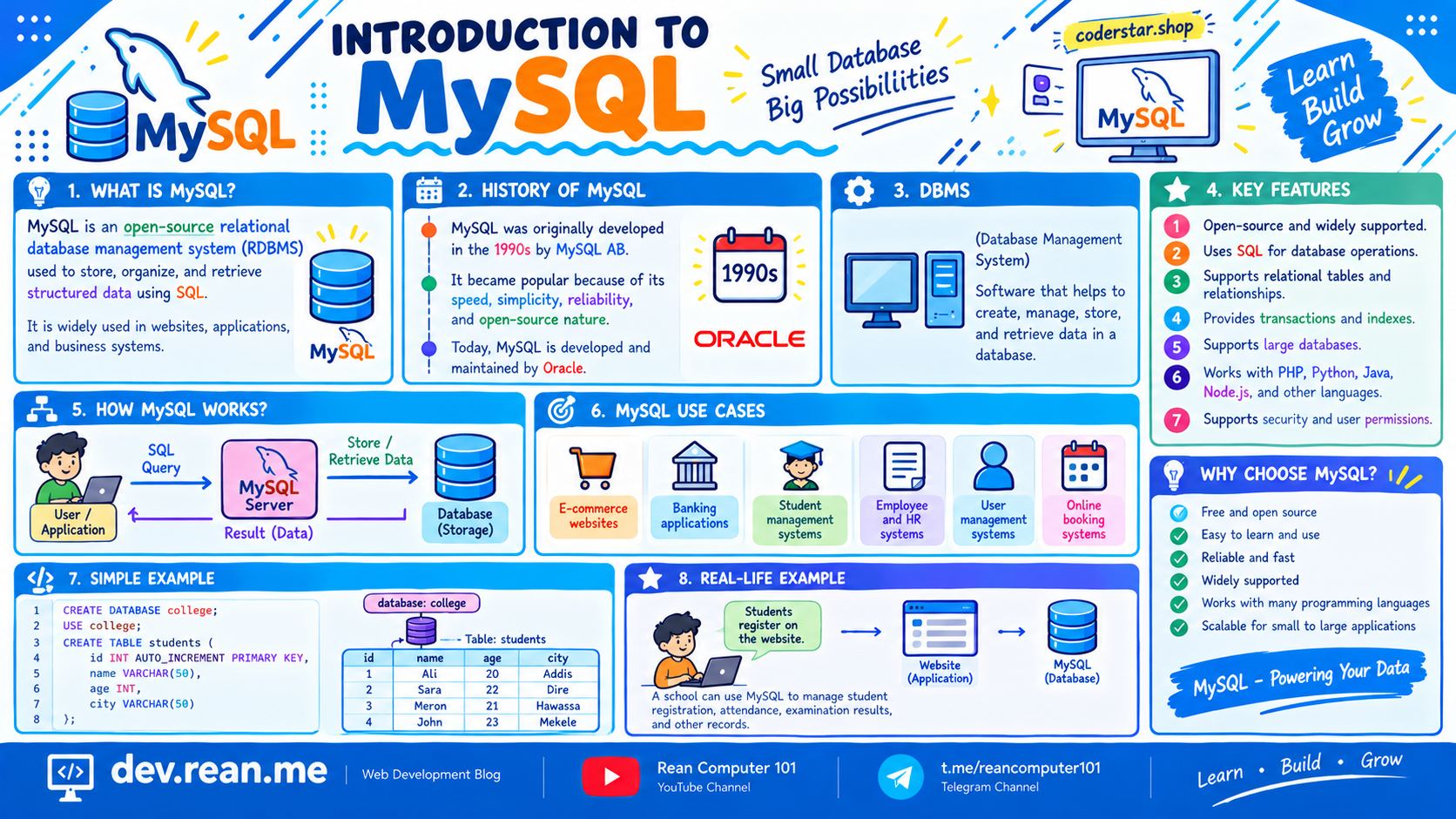
1. What Is MySQL?
MySQL is a RDBMS (Relational Database Management System). It is software for keep data, organize data, and manage data.
MySQL is open-source. Mean it is free, you can download and use, no need pay money.
Many website and application in the world use MySQL to keep their data.
2. Why Learn MySQL?
MySQL have many good thing:
- ✅ Easy to learn and use: Good for beginner, not too difficult.
- ✅ Support SQL command: You use SQL to talk with database.
- ✅ Use table for organize data: Data keep in row and column, very clean.
- ✅ Support relationship between table: One table can connect with other table.
- ✅ Work with many language: PHP, Python, Java, Node.js, and more.
- ✅ Very popular: Many website and app use it, so easy find job and help online.
3. Create a Database in MySQL
First, we create database. Very simple, only one line:
CREATE DATABASE school;
Then we tell MySQL we want use this database:
USE school;
Now every table we create will go inside school database.
4. Create a Student Table
Now we make table for keep student info:
CREATE TABLE students (
  id INT PRIMARY KEY AUTO_INCREMENT,
  name VARCHAR(50) NOT NULL,
  age INT,
  class VARCHAR(10)
);
idis unique number for each student.AUTO_INCREMENTmean MySQL give number auto for you.namecannot be empty because we putNOT NULL.ageandclasskeep other info.
5. Insert and Show Data
Put some student inside table:
INSERT INTO students (name, age, class)
VALUES ('Dara', 20, '12A'),
       ('Sokha', 19, '12B'),
       ('Vanna', 21, '12A');
Then see all data:
SELECT * FROM students;
Result look like this:
| id | name | age | class |
|---|---|---|---|
| 1 | Dara | 20 | 12A |
| 2 | Sokha | 19 | 12B |
| 3 | Vanna | 21 | 12A |
Wow, you just make your first MySQL database! 🎉
Tips
- Always end SQL command with
;. If forget, MySQL keep waiting for you. - Use
SHOW DATABASES;to see all database, andSHOW TABLES;to see table in current database. - Name your database and table in small letter, no space. Example:
school,students. - Every table should have a primary key like
id. It help find each row easy. - Don't forget
USE school;before create table, or MySQL not know which database you mean. - Be careful with
DROP DATABASE. It delete everything and cannot undo! - Practice every day a little bit. Step by step you become good.
Conclusion
MySQL is free, easy, and very popular database software. It use table to organize data and SQL to manage it. If you want build website or app, learn MySQL is very good start. Keep learning my friend! 💡
📺 Follow Rean Computer 101 on YouTube and Telegram for more lesson.