SQL SELECT Statement — All Forms Explained with Example
Learn all forms of SQL SELECT statement from basic to advanced. We explain SELECT, WHERE, JOIN, GROUP BY, HAVING, Subquery, CASE, UNION, Window Function with simple example. Good for MySQL, PostgreSQL, SQL Server.
2026-08-26 · 11 min read
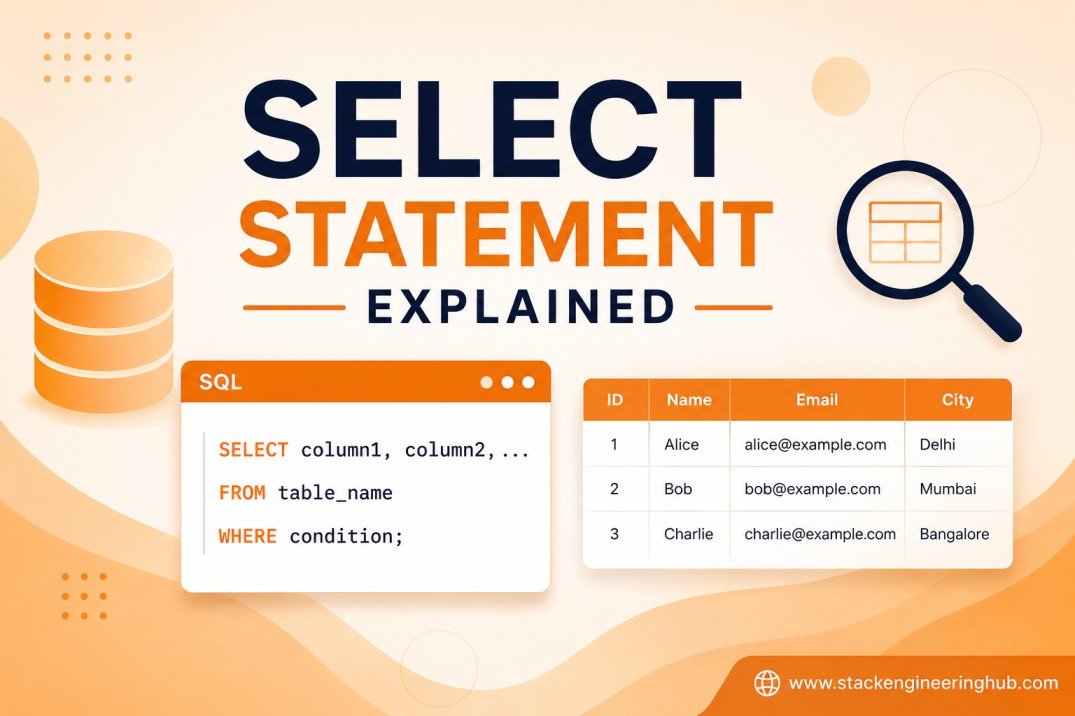
SQL SELECT — All Forms from Basic to Advanced
Hello friend! Today we learn all form of SELECT statement in SQL.
SELECT is the most important SQL command. You use it every day when work with database. We go from easy to hard. Learn step by step!
Note: Example below work with MySQL, PostgreSQL, and SQL Server. Small difference in syntax will have note for each database.
If you want to know how SQL read your query step by step, read this first: → SQL Operation Logic Order Explained
🎯 Practice with Real Database
All example in this article use tbStudents, tbPayments, tbEnrollments table. You can practice with real database from these article:
🎓 Student Database (MySQL)
🖥️ Student Database (SQL Server)
📝 Student Exam Database
📚 Library Database
1. SELECT — Pick Column You Want
The most basic form. Tell SQL what column to show.
-- Show all column (* = everything)
SELECT * FROM tbStudents;

-- Show only specific column
SELECT student_name, email FROM tbStudents;

-- Give column a friendly name (alias)
SELECT student_name AS name, email AS contact FROM tbStudents;
2. FROM — Tell SQL Which Table
FROM tell SQL where to find the data. Always write after SELECT.
-- Get data from one table
SELECT student_id, student_name
FROM tbStudents;
3. WHERE — Filter Row You Want
WHERE filter row. Only row that match condition will show.
-- Only student that is active
SELECT * FROM tbStudents
WHERE is_active = 1;

-- Only student with age more than 18
SELECT * FROM tbStudents
WHERE age > 18;

-- Only student name equal Rean
SELECT * FROM tbStudents
WHERE student_name = 'Rean';
4. AND / OR / NOT — Combine Condition
Use AND, OR, NOT to combine many condition together.
-- AND = both condition must true
SELECT * FROM tbStudents
WHERE age > 18 AND is_active = 1;

-- OR = any one condition true is ok
SELECT * FROM tbStudents
WHERE department_id = 1 OR department_id = 2;

-- NOT = opposite of condition
SELECT * FROM tbStudents
WHERE NOT is_active = 0;
5. IN — Match List of Value
IN check if value match any in a list. Short way instead of many OR.
-- Old way (many OR)
SELECT * FROM tbStudents
WHERE department_id = 1 OR department_id = 2 OR department_id = 3;

-- Better way with IN
SELECT * FROM tbStudents
WHERE department_id IN (1, 2, 3);

-- NOT IN = exclude from list
SELECT * FROM tbStudents
WHERE department_id NOT IN (4, 5);
6. BETWEEN — Range of Value
BETWEEN check value between two number (include both end).
-- Student with age 18 to 25
SELECT * FROM tbStudents
WHERE age BETWEEN 18 AND 25;

-- Payment between two date
SELECT * FROM tbPayments
WHERE payment_date BETWEEN '2025-01-01' AND '2025-12-31';

-- NOT BETWEEN = outside range
SELECT * FROM tbStudents
WHERE age NOT BETWEEN 18 AND 25;
7. LIKE — Search Text Pattern
LIKE search text with pattern. Use % for any character, _ for one character.
-- Name start with "R"
SELECT * FROM tbStudents
WHERE student_name LIKE 'R%';

-- Name end with "n"
SELECT * FROM tbStudents
WHERE student_name LIKE '%n';

-- Name contain "ea" anywhere
SELECT * FROM tbStudents
WHERE student_name LIKE '%ea%';

-- Name is exactly 4 character
SELECT * FROM tbStudents
WHERE student_name LIKE '____';
8. IS NULL — Check Empty Value
IS NULL find row that have no value (empty). Cannot use = NULL, must use IS NULL.
-- Student that have no email yet
SELECT * FROM tbStudents
WHERE email IS NULL;

-- Student that already have email
SELECT * FROM tbStudents
WHERE email IS NOT NULL;
⚠️ Tip: Never write
WHERE email = NULL— this always return empty result! Always useIS NULL.
9. ORDER BY — Sort Result
ORDER BY sort your result. ASC = A to Z (default). DESC = Z to A.
-- Sort by name A to Z
SELECT * FROM tbStudents
ORDER BY student_name ASC;

-- Sort by age Z to A (big to small)
SELECT * FROM tbStudents
ORDER BY age DESC;

-- Sort by many column (first by department, then by name)
SELECT * FROM tbStudents
ORDER BY department_id ASC, student_name ASC;
10. LIMIT / TOP — Cut Result
Cut the number of row to show. Good for top 10 or pagination.
-- MySQL / PostgreSQL: use LIMIT
SELECT * FROM tbStudents
ORDER BY student_name
LIMIT 10;

-- With OFFSET for pagination (skip first 20, show next 10)
SELECT * FROM tbStudents
ORDER BY student_name
LIMIT 10 OFFSET 20;

-- SQL Server: use TOP
SELECT TOP 10 * FROM tbStudents
ORDER BY student_name;

-- SQL Server pagination with OFFSET FETCH
SELECT * FROM tbStudents
ORDER BY student_name
OFFSET 20 ROWS FETCH NEXT 10 ROWS ONLY;
11. DISTINCT — Remove Duplicate
DISTINCT remove duplicate row. Show only unique value.
-- Show unique department (no repeat)
SELECT DISTINCT department_id FROM tbStudents;

-- Show unique combination of two column
SELECT DISTINCT department_id, is_active FROM tbStudents;
12. Aggregate Functions — Count, Sum, Average
Aggregate function calculate from many row and return one result.
-- COUNT: count how many row
SELECT COUNT(*) AS total_students FROM tbStudents;
SELECT COUNT(email) AS has_email FROM tbStudents;  -- count only not null

-- SUM: total of number
SELECT SUM(amount) AS total_payment FROM tbPayments;

-- AVG: average value
SELECT AVG(age) AS average_age FROM tbStudents;

-- MIN: smallest value
SELECT MIN(age) AS youngest FROM tbStudents;

-- MAX: biggest value
SELECT MAX(age) AS oldest FROM tbStudents;
13. GROUP BY — Group Data Together
GROUP BY group row that have same value. Always use with aggregate function.
-- Count student in each department
SELECT department_id, COUNT(*) AS total_students
FROM tbStudents
GROUP BY department_id;

-- Total payment by each student
SELECT student_id, SUM(amount) AS total_paid
FROM tbPayments
GROUP BY student_id;

-- Average age by department
SELECT department_id, AVG(age) AS avg_age
FROM tbStudents
GROUP BY department_id;
14. HAVING — Filter Group
HAVING filter group after GROUP BY. Cannot use WHERE to filter group, use HAVING instead.
-- Department that have more than 10 student
SELECT department_id, COUNT(*) AS total_students
FROM tbStudents
GROUP BY department_id
HAVING COUNT(*) > 10;

-- Student that pay more than 1000 total
SELECT student_id, SUM(amount) AS total_paid
FROM tbPayments
GROUP BY student_id
HAVING SUM(amount) > 1000;
Remember:
WHEREfilter row →HAVINGfilter group.
15. JOIN — Combine Two Table
JOIN combine data from two or more table together. Most common is INNER JOIN.
-- INNER JOIN: show only row that match in both table
SELECT s.student_name, d.department_name
FROM tbStudents s
INNER JOIN tbDepartments d ON s.department_id = d.department_id;

-- LEFT JOIN: show all row from left table, even no match in right
SELECT s.student_name, d.department_name
FROM tbStudents s
LEFT JOIN tbDepartments d ON s.department_id = d.department_id;

-- RIGHT JOIN: show all row from right table, even no match in left
SELECT s.student_name, d.department_name
FROM tbStudents s
RIGHT JOIN tbDepartments d ON s.department_id = d.department_id;
16. Multiple JOIN — Join More than Two Table
You can join many table in one query.
-- Join 3 table: student + enrollment + course
SELECT s.student_name, c.course_name, e.enrolled_date
FROM tbStudents s
INNER JOIN tbEnrollments e ON s.student_id = e.student_id
INNER JOIN tbCourses c ON e.course_id = c.course_id
WHERE e.is_active = 1;

-- Join 4 table: add department
SELECT s.student_name, d.department_name, c.course_name, e.enrolled_date
FROM tbStudents s
INNER JOIN tbDepartments d ON s.department_id = d.department_id
INNER JOIN tbEnrollments e ON s.student_id = e.student_id
INNER JOIN tbCourses c ON e.course_id = c.course_id;
17. Subquery — Query Inside Query
Subquery is SELECT inside another SELECT. Put it inside ().
-- Find student that enroll in course_id = 1 (subquery in WHERE)
SELECT student_name FROM tbStudents
WHERE student_id IN (
  SELECT student_id FROM tbEnrollments WHERE course_id = 1
);

-- Subquery in SELECT (calculate something per row)
SELECT student_name,
  (SELECT COUNT(*) FROM tbEnrollments e WHERE e.student_id = s.student_id) AS total_courses
FROM tbStudents s;

-- Subquery in FROM (make virtual table)
SELECT dept_summary.department_id, dept_summary.total
FROM (
  SELECT department_id, COUNT(*) AS total
  FROM tbStudents
  GROUP BY department_id
) AS dept_summary
WHERE dept_summary.total > 5;
18. CASE — If-Else in SQL
CASE is like if-else. Return different value base on condition.
-- Simple CASE: label age group
SELECT student_name, age,
  CASE
    WHEN age < 18 THEN 'Under 18'
    WHEN age BETWEEN 18 AND 22 THEN 'Young Adult'
    WHEN age > 22 THEN 'Adult'
    ELSE 'Unknown'
  END AS age_group
FROM tbStudents;

-- CASE in ORDER BY (custom sort)
SELECT student_name, department_id
FROM tbStudents
ORDER BY
  CASE department_id
    WHEN 1 THEN 'A'
    WHEN 2 THEN 'B'
    ELSE 'C'
  END;
19. UNION — Combine Result from Two Query
UNION combine result from two SELECT. Remove duplicate. UNION ALL keep duplicate.
-- Combine name from two table (remove duplicate)
SELECT student_name AS person_name FROM tbStudents
UNION
SELECT teacher_name AS person_name FROM tbTeachers;

-- UNION ALL: keep all row even duplicate
SELECT student_name AS person_name FROM tbStudents
UNION ALL
SELECT teacher_name AS person_name FROM tbTeachers;
Rule: Both SELECT must have same number of column and same column type.
20. Window Functions — Advance Calculation
Window function calculate across row without GROUP BY. More powerful than aggregate.
-- ROW_NUMBER: give each row a number
SELECT student_name, age,
  ROW_NUMBER() OVER (ORDER BY age DESC) AS rank_by_age
FROM tbStudents;

-- RANK: rank with gap (if tie, next number skip)
SELECT student_name, age,
  RANK() OVER (ORDER BY age DESC) AS rank
FROM tbStudents;

-- DENSE_RANK: rank without gap (if tie, no skip)
SELECT student_name, age,
  DENSE_RANK() OVER (ORDER BY age DESC) AS dense_rank
FROM tbStudents;

-- SUM OVER: running total
SELECT student_name, amount,
  SUM(amount) OVER (ORDER BY payment_date) AS running_total
FROM tbPayments;

-- PARTITION BY: rank inside each group
SELECT student_name, department_id,
  RANK() OVER (PARTITION BY department_id ORDER BY age DESC) AS rank_in_dept
FROM tbStudents;
MySQL Tip: Window functions available from MySQL 8.0+. If you use old MySQL, it not work.
SQL Server Tip: SQL Server support all window function. Very powerful!
Summary — All SELECT Form
| # | Keyword | What it do |
|---|---|---|
| 1 | SELECT | Pick column to show |
| 2 | FROM | Choose table |
| 3 | WHERE | Filter row |
| 4 | AND / OR / NOT | Combine condition |
| 5 | IN | Match list of value |
| 6 | BETWEEN | Range of value |
| 7 | LIKE | Search text pattern |
| 8 | IS NULL | Check empty value |
| 9 | ORDER BY | Sort result |
| 10 | LIMIT / TOP | Cut number of row |
| 11 | DISTINCT | Remove duplicate |
| 12 | Aggregate | COUNT, SUM, AVG, MIN, MAX |
| 13 | GROUP BY | Group same value |
| 14 | HAVING | Filter group |
| 15 | JOIN | Combine two table |
| 16 | Multiple JOIN | Join many table |
| 17 | Subquery | Query inside query |
| 18 | CASE | If-else in SQL |
| 19 | UNION | Combine two query result |
| 20 | Window Function | ROW_NUMBER, RANK, SUM OVER |
That all friend! Practice each one, you will become SQL master. Happy coding! 🎉
📚 Read More in Database
Want learn more? Check other article in database category:
- SQL Operation Logic Order Explained
- SQL Cheat Sheet — Free Download for Beginner
- Common SQL Data Types in Database
- Employee Table Example in PostgreSQL with Video Tutorial
- Student Management Database (MySQL) — Enrollment and Payment
- Student Management Database in SQL Server — Enrollment and Payment
- Student Exam Part 3 — 10 SQL SELECT Questions and Answers
- Student Exam Part 1 — Create Tables in MySQL
- Library Database — Create Tables with Data Download
- Download and Install MySQL — Step-by-Step Video Tutorial