Adobe Photoshop CC Book PDF (Khmer) Free Download
Free download Adobe Photoshop CC tutorial book PDF in Khmer language by Ung Chenda. Easy step-by-step guide for beginners to learn photo editing and graphic design.
2026-09-17 · 3 min read
Hello all my friends! Welcome back to dev.rean.me! If you are looking for free Adobe Photoshop CC Book PDF in Khmer language, this ebook will help you a lot!
This awesome Photoshop CC tutorial book is prepared by Mr. Ung Chenda. It is a very complete, step-by-step guide for beginners who want to learn photo editing, graphic design, and color adjustment from very zero level.
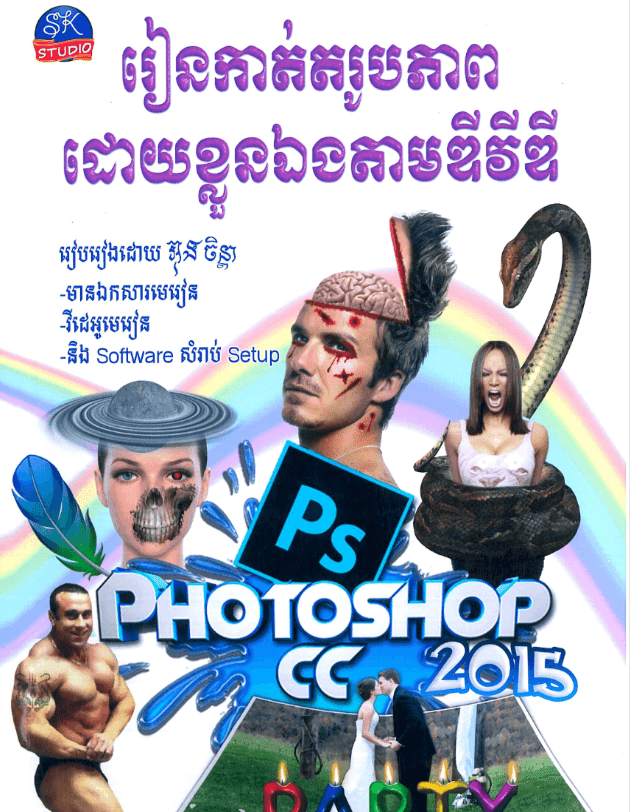
📚 Main Topics Inside This Book:
- 🔹 Software Installation: Easy step-by-step guide to install Adobe Photoshop CC on computer.
- 🔹 Program Interface: Understand workspace layout, menu bar, options bar, and tools panel.
- 🔹 Useful Tools Explanation: Detail explanation on how to use every selection, retouch, and design tool with examples.
- 🔹 Photo Editing & Quality: Techniques to improve photo sharpness, clear blur, and fix damaged photos.
- 🔹 Color Correction: Learn how to balance color, adjust brightness/contrast, and use Curve & Levels tools.
- 🔹 Design Projects: Practice making poster design, banner creation, and image manipulation.
📥 Direct Download Link
Click button below to download Photoshop CC Khmer PDF book 100% free:
📥 Download Photoshop CC Khmer Book (Free)(File hosted safely on Box cloud drive!)
💡 Pro Tips for Beginners Learning Photoshop CC:
-
⚡ Use Smart Objects for Images:
- Always right-click your image layer and select Convert to Smart Object!
- Why? Because when you resize or scale image down and up many times, Smart Object never lose image quality or get pixelated blur!
-
🎛️ Master Camera Raw Filter (
Ctrl+Shift+A):- Press
Ctrl+Shift+A(Windows) orCmd+Shift+A(Mac) to open Camera Raw Filter. - You can fix portrait photo lighting, skin tone, temperature, and color saturation super fast like a pro photographer!
- Press
-
🪄 Quick Selection with Subject AI (
W):- In Photoshop CC, choose Quick Selection Tool (
W) and look at top option bar -> click Select Subject. - Adobe AI automatically selects human or object in 1 second! Then click Select and Mask to refine hair edges smoothly.
- In Photoshop CC, choose Quick Selection Tool (
-
🧪 Use Adjustment Layers, Not Direct Image Menu:
- Don't go to top menu
Image -> Adjustments -> Brightness/Contrastbecause that changes photo permanently! - Instead, click Adjustment Layer icon (half-circle icon at bottom of Layer Panel). You can change or delete adjustments anytime without touching original photo!
- Don't go to top menu
-
📁 Organize Layers with Groups (
Ctrl+G):- When your design project gets big with 20-50 layers, select related layers and press
Ctrl+Gto group them into folders (e.g., "Text Group", "Background Group"). Easy to manage and navigate!
- When your design project gets big with 20-50 layers, select related layers and press
🔗 Related Resources & Tutorials
- 📘 Adobe Photoshop CS5 Book PDF (Khmer) Free Download
- 🎨 Adobe Photoshop Basic Tools for Beginners (Khmer Video)
- 🎬 1. Introduction to Workspace and Tools in Adobe Photoshop
- 🛠️ 2. Photoshop Basic Tools Tutorial in Khmer
- 🖌️ 3. Photoshop Tools to Design Tutorial in Khmer
- 🖼️ 4. Create Simple Design in Photoshop Khmer
- 💡 5. Design Examples in Photoshop Step by Step
- 🏷️ 8. Design Your Logos in Photoshop