04 - JavaScript Add New Dynamic List with DOM Manipulation (Video Tutorial in Khmer)
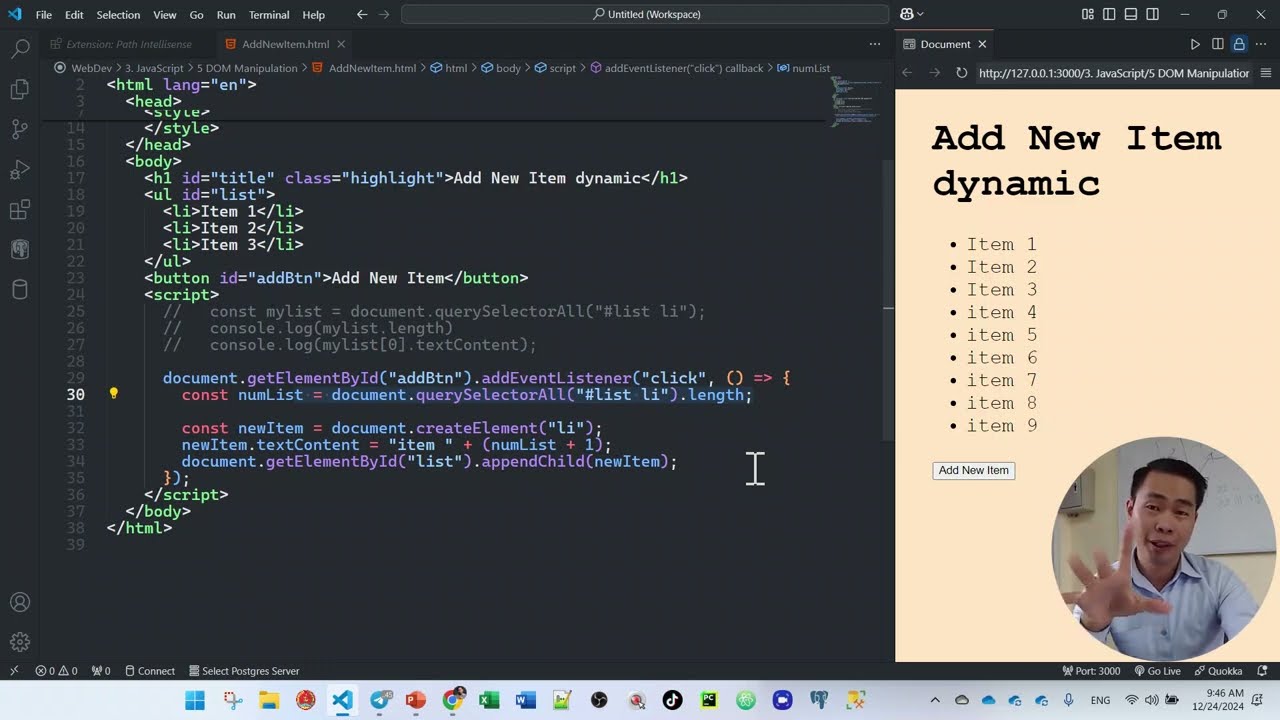
Learn how to add new dynamic list items (li) to an unordered list (ul) using JavaScript DOM manipulation (createElement, appendChild) in Khmer.
2026-08-29 · 3 min read
Hello my friend! Today I show you step-by-step how to Add New Dynamic List Items to HTML List (<ul>) using JavaScript DOM Manipulation! Adding dynamic elements to web page is used everywhere in modern web apps (like To-Do list apps, adding shopping cart items, or posting user comments). Very easy to follow with code examples and video tutorial in Khmer! Let's get started!
Step 1: HTML Setup (<input>, <button>, <ul>)
First step, let's create simple HTML layout with text input field, add button, and an empty list container <ul>:
<!-- index.html -->
<div className="card">
  <h2>My Dynamic Shopping List</h2>

  <!-- Text Input -->
  <input type="text" id="itemInput" placeholder="Type new item name..." />

  <!-- Add Button -->
  <button id="addBtn">Add Item</button>

  <!-- List Container -->
  <ul id="itemList">
    <li>Item 1 (Default)</li>
    <li>Item 2 (Default)</li>
  </ul>
</div>
💡 Tip: Always assign clear
idattributes to your HTML elements (likeid="itemInput",id="addBtn",id="itemList"). This makes selecting them in JavaScript super clean!
Step 2: Select Elements in JavaScript
In your JavaScript code, select all 3 HTML elements using document.getElementById():
const itemInput = document.getElementById("itemInput");
const addBtn = document.getElementById("addBtn");
const itemList = document.getElementById("itemList");
💡 Tip: Use
constto store reference to DOM elements because element references in memory do not change!
Step 3: Create & Append New <li> Element
Now let's write function to create new <li> element dynamically when user clicks button:
document.createElement("li"): Creates new HTML<li>tag in memory.newItem.textContent = text: Sets text inside<li>.itemList.appendChild(newItem): Inserts new<li>inside<ul>on screen!
// Function to add item
function addNewItem() {
  const textValue = itemInput.value.trim();

  // Validate: check if input is not empty!
  if (textValue === "") {
    alert("Please type item name first!");
    return;
  }

  // 1. Create new <li> element
  const newItem = document.createElement("li");

  // 2. Set text content
  newItem.textContent = textValue;

  // 3. Append new <li> into <ul> list container
  itemList.appendChild(newItem);

  // 4. Clear input text field & refocus
  itemInput.value = "";
  itemInput.focus();
}

// Add Click Event Listener to Button
addBtn.addEventListener("click", addNewItem);
💡 Tip: Always check
if (textValue === "")before creating new item! This stops user from adding blank empty list items to your web page!
💡 Tip: Use
document.createElement()in memory first, then call.appendChild()to insert into DOM. This method is much faster and safer against XSS security bugs than usinginnerHTML +=!
Watch Video Tutorial (Khmer)
Watch full step-by-step video tutorial below to see complete live demo in Khmer:
Hope this tutorial help you add dynamic list items using JavaScript easily! Practice creating your own dynamic list today. Happy learning my friends! Sharing is caring!